

The Complete Webcam Buying Guide 2026 — 10 Options for Every Budget
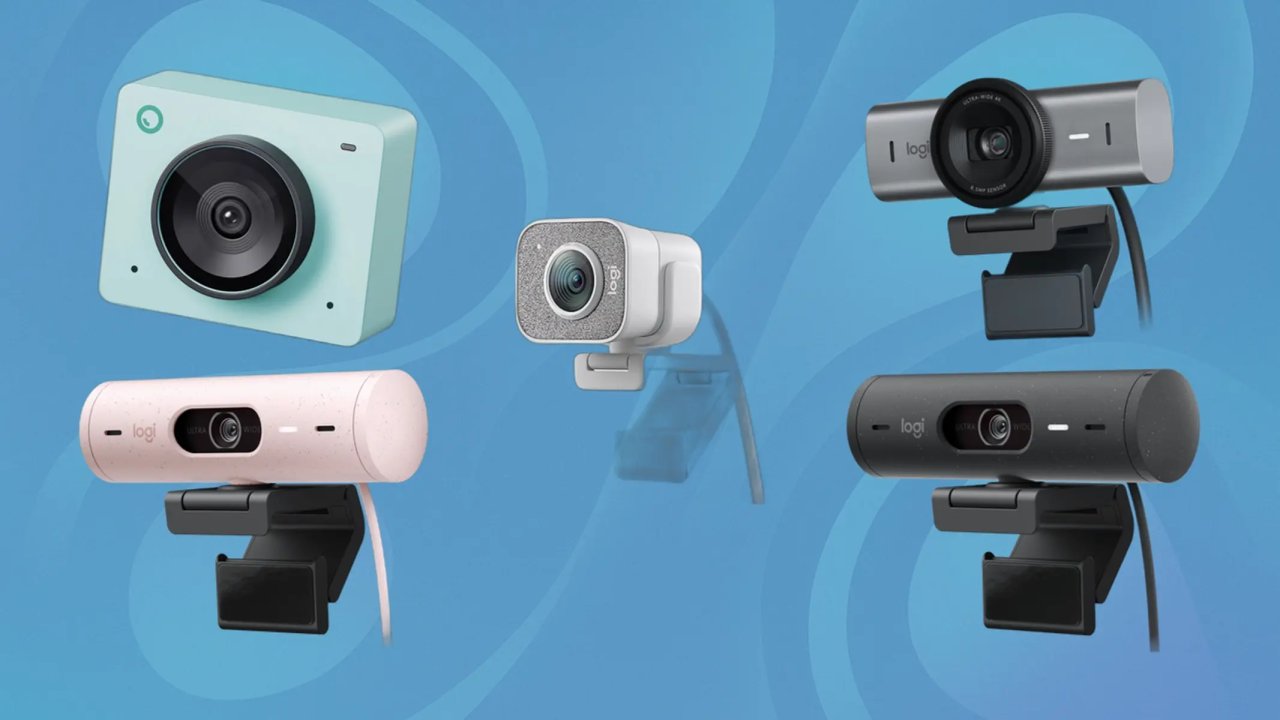
Top 10 Best Webcams for Every Need — From Budget HD Calls to 4K Pro Streaming
Your laptop's built-in camera was engineered to meet a price target, not a video quality target. The tiny sensor, fixed lens, and absent microphone inside most laptop lids produce grainy, washed-out images with hollow-sounding audio that leaves a poor impression on colleagues, audiences, and clients. A dedicated webcam transforms that experience entirely — sharp video, accurate colour, clear audio, and the kind of visual presence that built-in cameras cannot replicate at any price. The ten webcams reviewed here span from an ultra-affordable ₹1,500 entry-level camera with a built-in ring light to a professional 4K streaming webcam — covering every use case from daily video calls to full-time content creation. All are available from InfoTechKart.com with free delivery across India.
Note: Prices listed are approximate. Visit each product page on InfoTechKart for the current selling price before ordering.
#1 — Ant Esports 1080P StreamCam120 Webcam
Price: ₹1,299 – ₹1,799 | Resolution: 1080P 60FPS | Extra: Built-in Ring Light | Best Budget Streaming Webcam

The Ant Esports StreamCam120 is the most affordable camera on this list that includes a feature most streamers spend extra money purchasing separately — a built-in ring light. Ring lights are the single most impactful lighting upgrade for video quality in home environments because they add a circular catchlight to the subject's eyes, eliminate harsh directional shadows, and provide an even fill that makes the entire face appear more three-dimensional. Having this built into the camera itself rather than requiring a separate ring light stand, power source, and desk positioning saves both money and desk space.
The camera captures 1920x1080P full HD resolution at up to 60 frames per second — a frame rate specification that most competing cameras at this price tier cap at 30FPS. The 78-degree wide-angle lens provides broader scene coverage than narrow-angle alternatives, capturing the upper body and background rather than just a tight face crop. The ring light features three adjustable brightness levels, allowing the illumination intensity to be matched to ambient room lighting conditions rather than creating overexposed highlights against darker backgrounds.
The built-in noise-cancelling microphone reduces ambient room sounds from the captured audio — a meaningful feature for anyone who records or streams in environments with background noise from fans, air conditioning, or household activity. The autofocus system maintains sharp subject focus during natural movement rather than losing tracking when the user shifts position. Software compatibility spans Zoom, Skype, OBS, Facebook, YouTube, and FaceTime — covering every major streaming and conferencing platform without requiring any additional configuration.
The plug-and-play USB connection requires no driver installation on any supported platform. The universal clip mounts on laptop screens, desktop monitors, and tripods. For YouTube creators, student streamers, online tutors, and anyone who wants a visible upgrade over a built-in camera without meaningful investment, the StreamCam120's combination of 1080P 60FPS, ring light, and noise-cancelling mic represents genuinely good value at the lowest price tier on this list.
| Resolution | 1920 x 1080P at up to 60FPS |
| Ring Light | Built-In — 3 Brightness Levels |
| Lens FOV | 78° Wide Angle |
| Microphone | Built-In Noise Cancelling |
| Focus | Autofocus |
| Connection | USB — Plug and Play |
| Software Support | Zoom / Skype / OBS / YouTube / Facebook |
Pros: Built-in ring light — no separate lighting purchase needed, 1080P 60FPS at the lowest price here, noise-cancelling mic, 78° wide angle, autofocus, universal clip mount, plug-and-play.
Cons: Build quality and long-term durability is limited at this price point — some user reviews report connection issues over time; ring light quality is basic rather than professional.
Get the Ant Esports StreamCam120 on InfoTechKart
#2 — Logitech C270 HD Webcam
Price: ₹2,199 – ₹2,799 | Resolution: 720P 30FPS | Extra: Auto Light Correction | Most Reliable Budget Webcam

The Logitech C270 is the most proven budget webcam in the Indian market — a camera that has been the default recommendation for reliable HD video calling for over a decade and continues to justify that reputation through consistent image quality, long-term durability, and the credibility that comes with Logitech's manufacturing standards. Where budget alternatives from lesser-known brands frequently disappoint after weeks of daily use, the C270 is a camera that office workers, students, and remote teams across India have used daily for years without hardware failure.
The 720P HD resolution at 30FPS in widescreen format delivers crisp, smooth video for all standard conferencing scenarios. While the C270 does not match the 1080P resolution of cameras above it on this list, its Logitech RightLight 2 automatic light correction technology compensates for suboptimal lighting conditions more effectively than many 1080P budget cameras — producing consistently natural colour representation and reduced shadow contrast in typical home office and student room lighting environments.
The built-in noise-reducing microphone captures voice audio cleanly while filtering ambient background sounds — the same audio clarity standard that Logitech applies across its entire webcam range rather than the afterthought microphone quality found in many budget alternatives. The C270's universal clip fits securely on laptop screens, desktop monitors, and tripod mounts. The camera is designed to work immediately with every major video platform — Microsoft Teams, Zoom, Google Meet, Skype, and Facetime — without any driver installation or software configuration.
The C270 carries a two-year Logitech warranty — the strongest manufacturer coverage offered by any webcam at this price tier. Logitech's pan-India service infrastructure ensures warranty claims are processed domestically without the complications that international-only brands create. For daily video calling, online classes, remote work meetings, and any scenario where reliable, consistent performance matters more than specification maximisation, the C270 remains the most trustworthy choice at its price point.
| Resolution | 720P HD at 30FPS — Widescreen |
| Light Correction | RightLight 2 — Auto Adjustment |
| Microphone | Built-In Noise Reducing |
| Mount | Universal Clip — Laptop / Monitor / Tripod |
| Compatibility | Teams / Zoom / Meet / Skype — All Platforms |
| Warranty | 2 Years — Logitech India |
Pros: Most proven and reliable budget webcam, RightLight 2 automatic light correction, noise-reducing built-in mic, Logitech 2-year warranty, plug-and-play on all platforms, long-term durability track record.
Cons: 720P only — no 1080P capability; no autofocus; resolution limited for streaming or recording use cases.
Get the Logitech C270 on InfoTechKart
#3 — Lenovo 300 FHD Webcam
Price: ₹2,499 – ₹3,199 | Resolution: 1080P 30FPS | FOV: 95° Ultra-Wide | Best Wide-Angle Group Call Webcam

The Lenovo 300 FHD occupies a practical sweet spot in the webcam market — a 1080P full HD camera from a globally trusted brand at a price close to the budget C270, but with a specification advantage that matters significantly for specific use cases. The headline differentiator is the 95-degree ultra-wide field of view lens — the widest angle of any webcam on this list. At 95 degrees, the camera captures substantially more of the room, making it the natural choice for multi-person calls, classroom use, presentation settings, and any scenario where the camera needs to cover more than a single person in the frame.
The 2.1 megapixel CMOS sensor at 1080P delivers crisp, detailed video across Teams, Zoom, Google Meet, and conferencing platforms. Dual built-in stereo microphones capture audio from a broader directional range than single-microphone alternatives — particularly useful for multi-person setups where participants sit at different angles relative to the camera. Stereo audio capture also produces more natural, three-dimensional sound compared to mono microphone recordings during personal calls.
The physical design prioritises flexible positioning. 360-degree rotation allows the camera to pan and aim freely. The 1.8-metre cable — longer than most competing webcam cables — provides placement freedom across different desk and monitor configurations. The tripod-ready universal clip mounts on laptops, monitors, and tripod heads equally well. A privacy shutter mechanically blocks the lens when not in use — a physical security measure that no software solution can replicate. The folding form factor makes storage and transport compact.
Operating system compatibility spans Windows 7/8/10, Mac OS X 10.14, Ubuntu 20.04, and Chrome OS — the broadest OS coverage on this list by a meaningful margin. The plug-and-play USB 2.0 connection works without driver installation. Lenovo backs the 300 FHD with a one-year manufacturer warranty. For educators, small business conference setups, shared home office environments, and anyone who frequently includes multiple people in their video calls, the Lenovo 300 FHD's ultra-wide lens and dual stereo mics create a more inclusive and natural video conferencing experience.
| Resolution | 1080P FHD — 2.1 Megapixel CMOS |
| Field of View | 95° Ultra-Wide — Widest Here |
| Microphones | Dual Built-In Stereo Mics |
| Rotation | 360° Pan — Flexible Mount |
| Cable Length | 1.8 Metres |
| Privacy Shutter | Yes — Physical Lens Block |
| OS Support | Windows / Mac / Ubuntu / Chrome OS |
| Warranty | 1 Year — Lenovo |
Pros: 95° widest FOV on this list ideal for group calls, dual stereo mics, 1080P FHD, 360° rotation, 1.8m long cable, physical privacy shutter, broadest OS compatibility, Lenovo brand reliability.
Cons: Fixed focus — no autofocus; 30FPS cap limits streaming quality; low-light performance less impressive than Logitech alternatives.
Get the Lenovo 300 FHD on InfoTechKart
#4 — Logitech Brio 100 Full HD Webcam (Graphite)
Price: ₹3,499 – ₹4,499 | Resolution: 1080P | Light: RightLight Auto-Boost 50% | Best Modern Entry Logitech Webcam

The Logitech Brio 100 is Logitech's current entry-level 1080P webcam — the model that replaces earlier budget offerings with updated technology and a feature set designed for the modern hybrid work and learning environment. Where the C270 above it remains the proven reliability choice, the Brio 100 offers higher resolution at 1080P and Logitech's newest light processing technology, making it the more capable option for users who want current-generation Logitech quality at an accessible price.
The defining upgrade over the C270 is Logitech's updated RightLight technology that boosts brightness by up to 50% compared to previous-generation Logitech webcams in low-light conditions. This means the Brio 100 can compensate for poorly lit home office environments — evening calls, rooms without natural light, or setups where the light source is behind the user — far more effectively than older entry-level cameras. The auto-light balance processes brightness and colour correction in real time, keeping the image natural without manual adjustment.
The built-in microphone captures clear voice audio for all standard conferencing scenarios. A physical privacy shutter slides across the lens when the camera is not in use — a hardware-level privacy measure that provides genuine reassurance during sensitive home or office situations. The camera is certified for Microsoft Teams, Zoom, and Google Meet — meaning Logitech has tested and verified performance consistency on these platforms specifically, rather than simply claiming compatibility.
The USB-A connection works with all standard computer ports without requiring adapters or hubs. Available in multiple colourways including graphite, white, rose, and off-white — a range of aesthetic options that most competing webcams at this price do not offer. Logitech's two-year warranty and domestic service infrastructure provide post-purchase confidence that matches the brand's premium positioning. For buyers who want current-generation Logitech technology at the lowest possible Logitech entry price, the Brio 100 is the natural first choice.
| Resolution | 1080P Full HD |
| Light Technology | RightLight — 50% Brightness Boost |
| Microphone | Built-In — Clear Audio |
| Privacy Shutter | Yes — Physical Slide |
| Platform Certified | Teams / Zoom / Google Meet |
| Connection | USB-A — Plug and Play |
| Colours Available | Graphite / White / Rose / Off-White |
| Warranty | 2 Years — Logitech |
Pros: Current-generation Logitech 1080P, RightLight 50% brightness boost in low light, physical privacy shutter, platform-certified for Teams/Zoom/Meet, multiple colour options, 2-year Logitech warranty, plug-and-play.
Cons: No autofocus; single microphone rather than dual stereo; no 60FPS mode — 30FPS only.
Get the Logitech Brio 100 on InfoTechKart
#5 — Logitech C922 PRO STREAM Webcam
Price: ₹9,499 – ₹11,499 | Resolution: 1080P 30FPS / 720P 60FPS | Background Replacement | Best Mid-Range Streaming Webcam

The Logitech C922 PRO STREAM is the first webcam on this list designed specifically for streaming rather than video conferencing — a meaningful distinction in target purpose that reflects in its specifications and included accessories. The C922 is the webcam that Logitech built for creators, gamers who stream, and professionals who appear on camera regularly, and it delivers a feature set at its price point that remains the reference standard for mid-range streaming cameras.
The dual recording mode — 1080P at 30FPS for high-resolution stationary recording or 720P at 60FPS for smoother motion tracking — provides the flexibility to prioritise either image sharpness or motion fluidity depending on the streaming scenario. The 78-degree autofocus lens keeps the subject in sharp focus during natural head and upper body movement without the focus hunting that inferior autofocus systems produce. Logitech's RightLight 3 with HDR support delivers the most advanced light processing among the Logitech options on this list, managing high-contrast lighting scenarios that less capable sensors cannot handle cleanly.
The background replacement feature — available through Logitech Capture software — enables virtual background substitution without a green screen for streamers who want clean, professional backdrops without dedicated studio setup. Two built-in omnidirectional microphones capture audio from a broader directional range than single-microphone alternatives, reducing the need for a separate external microphone for standard streaming scenarios. The stereo microphone arrangement also captures spatial audio characteristics that mono microphones flatten.
The C922 ships with a desktop tripod — a direct positioning accessory that allows placement independent of a monitor or laptop screen, giving streamers and creators full flexibility over camera angle and distance. The 6-month XSplit Premium subscription included with the package provides professional streaming and recording software access without additional cost. Logitech G HUB and Logitech Capture software enable deep customisation of image settings, zoom, and white balance on PC. For established streamers, gaming content creators, and online educators who appear on camera daily, the C922 PRO delivers the capability step-up that justifies its price premium over entry-level alternatives.
| Resolution Modes | 1080P 30FPS or 720P 60FPS |
| Lens FOV | 78° Autofocus |
| Light Processing | RightLight 3 with HDR |
| Microphones | Dual Omnidirectional Stereo |
| Background Replacement | Yes — No Green Screen Required |
| Included Accessories | Desktop Tripod + XSplit 6-Month Premium |
| Software | Logitech Capture + G HUB |
| Warranty | 2 Years — Logitech |
Pros: Dual 1080P/720P modes for resolution/frame rate flexibility, RightLight 3 HDR, background replacement, dual omnidirectional mics, desktop tripod included, XSplit Premium subscription, Logitech Capture software, 2-year warranty.
Cons: No 1080P 60FPS — 60FPS limited to 720P only; significant price jump over budget options; autofocus occasionally hunts in low-contrast scenes.
Get the Logitech C922 PRO on InfoTechKart
#6 — Razer Kiyo Streaming FHD Webcam
Price: ₹9,999 – ₹12,499 | Resolution: 1080P 30FPS / 720P 60FPS | Extra: Built-in Ring Light | Best Streaming Webcam with Lighting

The Razer Kiyo solves the single most common streaming quality problem — poor lighting — with a hardware solution built directly into the camera. The adjustable ring light integrated around the lens provides professional fill lighting from the optimal position relative to the camera axis, creating the even, flattering illumination that requires a separate ring light stand, positioning, and power source when using any other webcam on this list. For streamers and creators who work in rooms without controlled lighting, the Kiyo's built-in light represents a significant image quality upgrade over an equivalently priced camera without lighting.
The ring light is not a fixed-intensity accessory — it features adjustable brightness control that allows the illumination level to be tuned to the room's ambient conditions. Higher room lighting requires less fill light; darker environments benefit from increased ring light output. This adjustability prevents the overexposed, blown-out appearance that a fixed-intensity ring creates in bright rooms while still providing adequate fill in dim conditions. Combined with the 1080P 30FPS or 720P 60FPS capture modes, the Kiyo delivers image quality that looks noticeably more professional than cameras without dedicated lighting at the same price tier.
The autofocus system maintains sharp subject tracking across natural movement. The built-in microphone handles audio capture for solo streaming and call scenarios. Razer Synapse software on PC enables detailed image customisation — white balance, contrast, saturation, and brightness are all adjustable without third-party software. The multi-threaded mounting system supports desktop tripod placement, monitor top mounting, and custom rig positioning for creators who build dedicated streaming setups.
Platform compatibility covers Twitch, OBS, XSplit, Zoom, Teams, and Skype among others — the full range of streaming and conferencing platforms in active use across the content creator community. The Razer aesthetic — matte black design with clean lines — integrates naturally into gaming and streaming desk setups without the corporate visual language of Logitech's equivalents. For streamers who have struggled with poor image quality due to lighting conditions rather than camera capability, the Kiyo addresses the root cause directly and permanently.
| Resolution Modes | 1080P 30FPS / 720P 60FPS |
| Ring Light | Built-In — Adjustable Brightness |
| Focus | Autofocus |
| Software | Razer Synapse — Full Image Control |
| Mount Options | Multi-Thread — Tripod / Monitor / Rig |
| Platform Support | Twitch / OBS / XSplit / Zoom / Teams |
| Microphone | Built-In |
Pros: Built-in professional ring light eliminates separate lighting purchase, adjustable brightness control, autofocus, Razer Synapse full image customisation, multi-thread mounting flexibility, clean gaming aesthetic.
Cons: No 1080P 60FPS; ring light can create lens flare or hot spots in certain scenarios; slightly bulkier than cameras without ring light due to the circular LED housing.
Get the Razer Kiyo on InfoTechKart
#7 — Razer Kiyo Pro Streaming FHD Webcam
Price: ₹14,999 – ₹18,999 | Resolution: 1080P 60FPS / HDR | Sensor: Adaptive Light — Largest Here | Best Low-Light Streaming Webcam

The Razer Kiyo Pro makes the most important hardware decision differently from every other webcam on this list — instead of relying on software to compensate for poor lighting after the fact, it uses a physically larger sensor to capture more light from the start. The Sony STARVIS adaptive light sensor inside the Kiyo Pro is an uncompressed image sensor specifically engineered for low-light photography — the same sensor technology used in security cameras and professional broadcast cameras that must produce clean images in minimal ambient light. No other webcam in this price category uses sensor hardware of this specification.
The sensor enables 1080P at 60FPS with HDR support — the first camera on this list to offer full 1080P resolution at the smoother 60-frame rate alongside HDR dynamic range processing. HDR capture preserves detail simultaneously in both bright highlights and dark shadows within the same frame — preventing the washed-out highlights and crushed blacks that standard dynamic range cameras produce in high-contrast lighting scenarios such as a window-lit room or a brightly backlit streaming setup. This hardware-level HDR is fundamentally more capable than the software-processed HDR on lesser cameras.
The lens provides a switchable field of view — 103°, 90°, or 80° — selectable via Razer Synapse software. This degree of FOV control allows the Kiyo Pro to frame a solo close-up at 80°, a standard bust shot at 90°, or a wide scene at 103° without physically repositioning the camera. The auto and manual focus modes give streamers the choice between automatic subject tracking or a fixed focus lock — useful when the streaming subject needs to stay precisely in focus regardless of camera detection confidence during fast-moving content.
Razer Synapse software controls HDR toggle, FOV selection, autofocus/manual switch, and all image parameters from a single interface. The USB-C connection provides higher bandwidth than USB-A for uncompressed data transfer — beneficial for the larger data volumes that HDR and 60FPS capture generates. The Kiyo Pro is the camera for serious streamers who stream in challenging lighting conditions, stream at 60FPS for motion-intensive content, or want the most visually impressive webcam output available below the 4K category.
| Resolution | 1080P 60FPS or 1080P HDR 30FPS |
| Sensor | Sony STARVIS Adaptive Light |
| HDR | Yes — Hardware-Level |
| Field of View | Switchable — 103° / 90° / 80° |
| Focus | Auto + Manual — User Selectable |
| Connection | USB-C — High Bandwidth |
| Software | Razer Synapse — Full Parameter Control |
Pros: Sony STARVIS sensor — best low-light performance here, 1080P 60FPS + HDR, switchable 103/90/80° FOV, auto and manual focus modes, USB-C, full Razer Synapse control, hardware-level HDR.
Cons: No built-in ring light unlike the standard Kiyo; HDR and 60FPS cannot run simultaneously; premium price tier; microphone quality does not match the sensor quality.
Get the Razer Kiyo Pro on InfoTechKart
#8 — Elgato Facecam Neo 1080p60 FHD Webcam
Price: ₹12,999 – ₹15,999 | Resolution: 1080P 60FPS | Software: Camera Hub | Best Plug-and-Play Creator Webcam

The Elgato Facecam Neo represents Elgato's commitment to making professional webcam quality accessible without the complexity that professional camera hardware traditionally demands. Elgato is the brand that content creators trust for streaming hardware — their capture cards, stream decks, and lighting products define the streaming accessory category — and the Facecam Neo brings that same creator-focused philosophy to webcam design. The result is a camera that produces genuinely sharp, natural-looking 1080P 60FPS video with minimal setup effort and maximum software control depth for those who want it.
The Elgato AF Lens autofocus system provides fast, accurate subject tracking that keeps the creator in crisp focus during natural movement — side glances, leaning forward, reaching for peripheral items — without the focus hunting hesitation that inferior autofocus systems introduce. The camera processes image at 1080P full resolution at 60 frames per second — double the frame rate of most competing cameras at similar prices, producing noticeably smoother video for motion-intensive streaming content like gaming face-cam overlays or animated presentation delivery.
Elgato's Camera Hub software provides detailed image parameter control — exposure, white balance, sharpness, zoom, and colour temperature are all adjustable with visual real-time preview. The software supports scene presets that save complete image configurations for different streaming scenarios — a daytime broadcast preset versus an evening low-light preset, for instance — switchable without manually readjusting every parameter. Camera Hub integrates directly with Elgato Stream Deck for creators who use that hardware, allowing camera settings to be triggered via physical button press during live streams.
Elgato provides lifetime firmware updates for the Facecam Neo — meaning the camera receives ongoing software improvements and feature additions after purchase rather than becoming a static hardware product. Certified for Zoom with official testing documentation. The mounting system accommodates monitor tops and tripods. Compatible with OBS, XSplit, Twitch Studio, Streamlabs, and all major streaming platforms. For content creators who want Elgato's creator-ecosystem integration, 1080P 60FPS output, and ongoing software development at a mid-range price, the Facecam Neo is the most purpose-built creator webcam on this list.
| Resolution | 1080P 60FPS — Also 720P 60FPS |
| Lens | Elgato AF Lens — Fast Autofocus |
| Software | Camera Hub — Scene Presets + Full Control |
| Firmware Updates | Lifetime — Ongoing Improvements |
| Stream Deck Integration | Yes — Settings via Physical Button |
| Platform Support | OBS / XSplit / Twitch / Streamlabs / Zoom |
| Certification | Zoom Certified |
Pros: 1080P 60FPS, fast Elgato AF autofocus, Camera Hub with scene presets, Stream Deck integration, lifetime firmware updates, clean creator-focused design, Zoom certified, full streaming platform support.
Cons: No built-in microphone — external mic required; no HDR support; premium price for the feature set compared to Logitech alternatives.
Get the Elgato Facecam Neo on InfoTechKart
#9 — Logitech Brio 300 FHD Webcam (Graphite)
Price: ₹7,499 – ₹8,999 | Resolution: 1080P | USB-C | Privacy Shutter | Best Modern Business Webcam

The Logitech Brio 300 targets the professional who cares about video call quality and discretion in equal measure — a Full HD 1080P webcam with a compact, modern design built around the features that business users specifically need. Where the Brio 100 represents Logitech's entry 1080P offering, the Brio 300 steps up with USB-C connectivity, enhanced colour accuracy, and a more refined design language that suits corporate environments demanding visual consistency across remote teams.
The RightLight technology processes exposure and white balance in real time to deliver natural-looking skin tones and consistent colour across varying lighting conditions — the kind of reliable visual output that makes a professional impression on colleagues and clients without requiring manual camera adjustment before each call. The built-in privacy shutter provides hardware-level lens blocking — physically closing off the camera sensor when not in active use. For professionals operating under corporate data security policies or personal privacy preferences, the mechanical shutter provides genuine assurance that no software privacy setting fully matches.
The USB-C connection supports modern laptop and desktop setups that have moved away from USB-A entirely — a practical consideration for MacBook users, thin-and-light Windows ultrabook owners, and any computer purchased in the last two years that features USB-C as its primary connectivity standard. The built-in omni-directional microphone captures voice clearly for calls without requiring a separate audio device. Available in multiple colourways including graphite, white, rose, and off-white to match different desk aesthetics.
Certified for Microsoft Teams, Zoom, and Google Meet with official Logitech testing verification. The Brio 300 connects and configures via Logi Tune app on both Windows and Mac for brightness, contrast, and microphone level adjustment. Logitech's two-year warranty and India service network apply. For business professionals who video call daily, the Brio 300's combination of USB-C, 1080P colour accuracy, physical privacy shutter, and certified platform performance makes it the most complete professional daily-driver webcam in the mid-range tier.
| Resolution | 1080P Full HD |
| Connection | USB-C — Modern Laptops Native |
| Light Processing | RightLight — Natural Skin Tones |
| Privacy Shutter | Yes — Physical Mechanical |
| Microphone | Omni-Directional Built-In |
| Platform Certified | Teams / Zoom / Google Meet |
| App | Logi Tune — Windows + Mac |
| Warranty | 2 Years — Logitech |
Pros: USB-C native for modern laptops, 1080P RightLight colour accuracy, physical privacy shutter, platform-certified, Logi Tune software, multiple colour options, 2-year Logitech warranty, professional clean design.
Cons: No autofocus; 30FPS cap — no 60FPS mode; single mic; no streaming-specific features.
Get the Logitech Brio 300 on InfoTechKart
#10 — AVerMedia PW515 4K Ultra HD Webcam
Price: ₹18,999 – ₹24,999 | Resolution: 4K UHD 30FPS | AI Auto-Framing | Best Professional 4K Webcam

The AVerMedia PW515 is the most technically capable webcam on this list — the only camera here that captures genuine 4K Ultra HD resolution and the only one equipped with AI-powered auto-framing. AVerMedia is a streaming hardware brand with a dedicated following among professional streamers and corporate video producers, and the PW515 represents their premium webcam engineering applied to a product designed for users who demand the maximum image quality available from a USB webcam without moving into DSLR-with-capture-card territory.
4K resolution at 3840x2160 captures four times the pixel information of 1080P cameras. This translates into visibly sharper subject detail, finer texture rendering, and dramatically more data available for cropping and reframing in post-processing without quality loss. Even when the streaming platform downscales the output to 1080P for delivery, a 4K source image produces cleaner, more detailed 1080P output than a native 1080P camera — the excess resolution provides oversampled quality that eliminates the compression artifacts visible in natively-captured 1080P footage.
The AI Auto-Framing system uses on-device artificial intelligence to detect the subject and automatically adjust the digital crop to keep them centred within the frame during movement. For presenters who move around, educators who gesture broadly, or streamers who shift position frequently, this feature eliminates the need for manual camera repositioning or fixed wide-angle framing that reduces subject size. The AI tracking works smoothly without the jerky repositioning that basic motion detection systems produce — it anticipates movement direction and adjusts gradually.
The 94-degree wide-angle lens with autofocus covers broad scene capture for group scenarios or wide personal framing. AVerMedia's CamEngine software provides comprehensive image control — exposure, white balance, sharpness, colour temperature, and digital zoom are all adjustable with visual feedback. The built-in dual microphones with noise cancellation handle audio capture clearly. The USB 3.1 Type-C connection handles the significant data bandwidth that 4K video requires. Compatible with OBS, Zoom, Teams, Skype, XSplit, and all major streaming platforms. For professional streamers, corporate executives who need the most polished video presence, and creators who invest in long-term production quality, the PW515 is the definitive webcam purchase on this list.
| Resolution | 4K UHD 3840x2160 30FPS — Highest Here |
| AI Auto-Framing | Yes — AI Subject Tracking |
| Lens FOV | 94° Wide Angle with Autofocus |
| Microphones | Dual Built-In — Noise Cancellation |
| Connection | USB 3.1 Type-C — High Bandwidth |
| Software | CamEngine — Full Parameter Control |
| Platform Support | OBS / Zoom / Teams / XSplit / Skype |
Pros: Only 4K webcam on this list — unmatched resolution, AI auto-framing tracks subject automatically, 94° wide-angle autofocus, dual noise-cancelling mics, USB 3.1 Type-C, CamEngine software, compatible with all major streaming platforms.
Cons: Most expensive webcam here — significant premium over 1080P alternatives; 4K advantage lost on streaming platforms that cap delivery at 1080P; requires USB 3.1 port for full 4K output; 30FPS maximum at 4K.
Get the AVerMedia PW515 4K on InfoTechKart
Quick Comparison — All 10 Webcams at a Glance
| Webcam | Price | Resolution | FPS | Autofocus | Ring Light | Privacy Shutter | Best For |
|---|---|---|---|---|---|---|---|
| Ant Esports StreamCam120 | ₹1,499 | 1080P | 60FPS | Yes | Built-In | No | Budget + Ring Light |
| Logitech C270 | ₹2,499 | 720P | 30FPS | No | No | No | Proven Reliability |
| Lenovo 300 FHD | ₹2,799 | 1080P | 30FPS | No | No | Yes | Wide-Angle Group Calls |
| Logitech Brio 100 | ₹3,999 | 1080P | 30FPS | No | No | Yes | Modern Logitech Entry |
| Logitech C922 PRO | ₹10,499 | 1080P / 720P | 30 / 60FPS | Yes | No | No | Mid-Range Streaming |
| Razer Kiyo | ₹11,499 | 1080P / 720P | 30 / 60FPS | Yes | Built-In Adj. | No | Streaming + Lighting |
| Logitech Brio 300 | ₹8,499 | 1080P | 30FPS | No | No | Yes | Business USB-C |
| Elgato Facecam Neo | ₹14,499 | 1080P | 60FPS | Yes | No | No | Creator Ecosystem |
| Razer Kiyo Pro | ₹16,999 | 1080P HDR | 60FPS | Auto + Manual | No | No | Low-Light Streaming |
| AVerMedia PW515 4K | ₹21,999 | 4K UHD | 30FPS | Yes | No | No | 4K Pro + AI Framing |
Our Recommendation — The Right Webcam for Your Specific Need
Each webcam here targets a different user profile. Here is how to navigate the choice:
- Tightest budget — with ring light: The Ant Esports StreamCam120 at ₹1,499 delivers 1080P 60FPS, autofocus, and a built-in 3-level ring light at the lowest price here — eliminating the need for a separate lighting purchase.
- Most reliable budget daily driver: The Logitech C270 at ₹2,499 is the proven choice for years of trouble-free daily use — 720P with RightLight, noise-reducing mic, and a 2-year Logitech warranty that no budget alternative can match.
- Best wide-angle for group calls: The Lenovo 300 FHD at ₹2,799 captures the widest field of view here at 95° with dual stereo mics — ideal for multi-person conference setups, classrooms, and presentations.
- Current Logitech 1080P entry: The Brio 100 at ₹3,999 delivers updated RightLight technology with 50% brightness boost and a physical privacy shutter — the most modern Logitech option at the entry price level.
- Business professional — USB-C: The Logitech Brio 300 at ₹8,499 pairs USB-C native connectivity, RightLight colour accuracy, and certified platform performance in a professional design — the clean daily-driver for hybrid work.
- Mid-range streaming — Logitech ecosystem: The Logitech C922 PRO at ₹10,499 delivers dual modes, HDR, background replacement, dual mics, desktop tripod, and XSplit Premium — the established streaming webcam reference at this tier.
- Streaming with built-in lighting: The Razer Kiyo at ₹11,499 is the only mid-range streaming webcam with a built-in adjustable ring light — the single purchase that replaces both webcam and ring light for streamers in uncontrolled environments.
- Creator ecosystem + 1080P 60FPS: The Elgato Facecam Neo at ₹14,499 delivers 1080P 60FPS with Camera Hub presets, Stream Deck integration, and lifetime firmware updates — the most purpose-built creator webcam here.
- Best low-light streaming — Sony sensor: The Razer Kiyo Pro at ₹16,999 with Sony STARVIS sensor, HDR, 1080P 60FPS, and switchable FOV delivers the best pure image quality in challenging lighting conditions of any webcam on this list.
- Maximum quality — professional 4K: The AVerMedia PW515 at ₹21,999 is the only 4K webcam here — with AI auto-framing, dual noise-cancelling mics, and USB 3.1 Type-C, it is the definitive choice for professional streamers and executives who demand the highest possible visual presence.
Helpful Tip: All ten webcams are available with free delivery from InfoTechKart.com. Visit individual product pages for current pricing and any active offers before placing your order.
Disclaimer: Prices stated above are approximate figures subject to change. Confirm the current selling price on the product page before completing your purchase.